
Using the Remix loader on server and client
Allrighty, now that I got the Cloudflare D1 database setup, it’s time to dig into one of the features of Remix that drew me in — the loader.
Updating the loader function
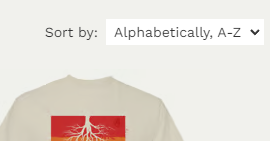
The Niuite page started as a simple listing of all the available shirts with a default sort of created date descending. Now I’m adding a select component to the page so you can select the order you would like to see the shirts.
This requires two updates to the loader function:
- Check the request for a “sort_by” parameter
- Create an object to be used as the sort order for the workers-qb request
- Pass the
sortByvalue to be used when rendering the page
export const loader = async ({ context, request }: LoaderFunctionArgs) => {
  let sortBy = new URL(request.url).searchParams.get("sort_by");
  let sortOrder: string | Record<string, string> | string[] | undefined = {
    createdDate: OrderTypes.DESC,
  };
  if (sortBy) {
    switch (sortBy) {
      case "name-ascending":
        sortOrder = { name: OrderTypes.ASC };
        break;
      case "name-descending":
        sortOrder = { name: OrderTypes.DESC };
        break;
      case "date-ascending":
        sortOrder = { createdDate: OrderTypes.ASC };
        break;
    }
  } else {
    sortBy = "date-descending";
  }

  const { env } = context.cloudflare;
  const qb = new D1QB(env.DB);

  const query = await qb
    .fetchAll<Shirt>({
      tableName: "shirts",
      orderBy: sortOrder,
    })
    .execute();

  const shirts = query.results;

  return json({ shirts, sortBy });
};
Updating the page function
Now I can initialize the dropdown value and hook up the data call to the select component changing.
The code changes required include:
- Adding a Form and select component
- Using the
sortByvalue as thedefaultValueof the select - Hooking up useSubmit so the Form action fires when the selected value changes.
import { Form, useLoaderData, useSubmit } from "@remix-run/react";

export default function ShirtsIndex() {
    const { shirts, sortBy } = useLoaderData<typeof loader>();
    const submit = useSubmit();

    ...

    <div>
        Sort by:
        <Form onChange={(event) => {
            submit(event.currentTarget);
        }}>
            <select name="sort_by" defaultValue={sortBy} className='p-1'>
                <option value="name-ascending">Alphabetically, A-Z</option>
                <option value="name-descending">Alphabetically, Z-A</option>
                <option value="date-ascending">Date, old to new</option>
                <option value="date-descending">Date, new to old</option>
            </select>
        </Form>
    </div>
Did you see it?
That’s one function for both server and client side data. The initial render loads with the default sort order or when set by the sort_by request parameter and brings down the whole page.
Changing the value of the sort select fetches the data client side and updates the UI.
Beautiful.
